BITS Pilani eLearn Integrated Portal Login
Organisation : BITS Pilani
Facility Name : eLearn Integrated Portal
Applicable State : Pilani, Rajasthan
Website : https://idp.bits-pilani.ac.in/idp/Authn/UserPassword
| Want to ask a question / comment on this post? Go to bottom of this page. |
|---|
What is BITS Pilani eLearn Integrated Portal?
BITS Pilani eLearn Integrated Portal is an online learning management system (LMS) that provides digital resources and academic support for students, primarily those enrolled in the university’s Work Integrated Learning Programmes (WILP).

Features of BITS Pilani eLearn Integrated Portal
Key features and functions of the eLearn portal include:
Access to Course Materials:
Learners can access a wide array of digital resources, including recorded lectures, programme handouts, and self-paced learning content, anytime and from anywhere.
Interactive Learning:
The platform facilitates high interactivity through live online classes (usually on weekends or after business hours to accommodate working professionals), Q&A sessions, discussion forums, and message boards, allowing students to engage with faculty and peers.
Experiential Learning:
The portal provides access to virtual labs, remote labs, and simulation tools, enabling students to perform experiments and apply theoretical knowledge to real-world and simulated work situations.
Assessments and Project Work:
Students can access information regarding continuous assessments, quizzes, mid-semester, and comprehensive exams. The platform also supports the final semester project or dissertation work, which is often integrated with their workplace projects.
Mentorship Support:
The system helps coordinate communication with industry mentors who supervise students’ academic progress.
Login Access:
It serves as a secure login point for WILP students, on-campus and off-campus faculty, and guest faculty, using their BITS Mail address and specific default passwords.
How To Login To BITS Pilani eLearn Integrated Portal?
To login to BITS Pilani eLearn Integrated Portal, Follow the below steps
Steps:
Step-1 : Go to the link given above
Step-2 : Enter the BITS Email Address
Step-3 : Enter the Password and
Step-4 : Click on “Log In” button.
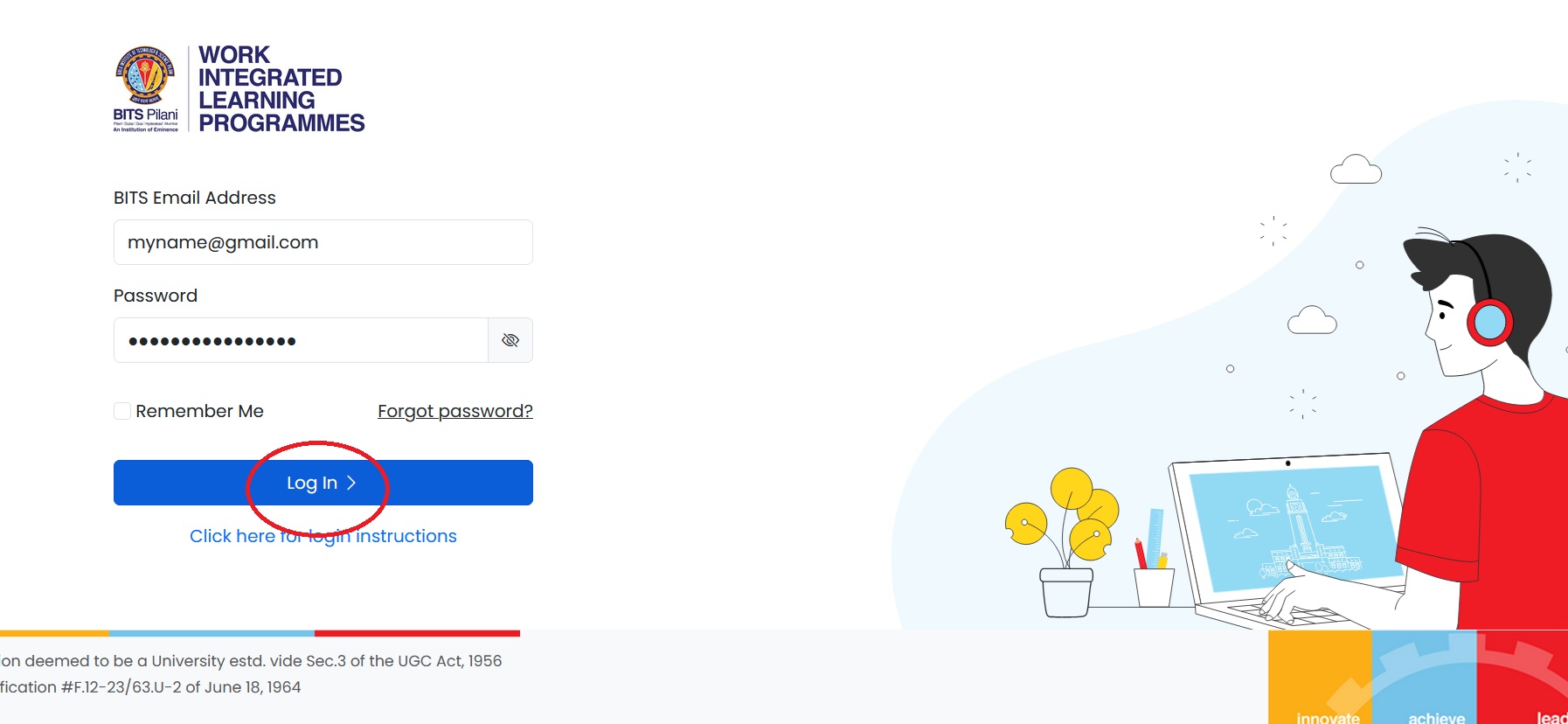
Instructions On BITS Pilani eLearn Integrated Portal Login
For WILP Students: Please enter your BITS Mail address containing your 11-character student id (for eg. 201218ts450@wilp.bits-pilani.ac.in) and your date of birth (in ddmmyyyy format) as your default password.
** For example, if your date of birth is March 1st 1990, then your password will be 01031990
For On-campus faculty: Please enter your BITS Mail address. Your default password will be your 4-digit PSRN number, prefixed with the letter corresponding to your campus, in uppercase. (for eg. P0123, G0123, H0123 or D0123 depending on your campus)
For Off-campus faculty: Please enter your BITS Mail address. Your default password will be your 4-digit PSRN number prefixed with ‘P’, irrespective of your actual location. (for eg. P0123)
For Guest faculty: Please enter your BITS Mail address and your PAN number in uppercase as your default password. (for eg. ABCDE1234F)
For TAs / PS2 Students: Please enter your BITS Mail address and your Student ID in uppercase as your default password. (for eg. 2011A1PS708G)
Note:
** If you are unable to login to the eLearn portal with your password, or have forgotten your password, please click on the “Forgot Password?” link and enter your BITS Mail address. An email with the password reset instructions will be sent to you.
** If you’re unable to login to your BITS Mail account, please write to mailadmin@wilp.bits-pilani.ac.in