AITP All India Tourist Permit : vahan.parivahan.gov.in
Organisation : Ministry of Road Transport & Highways
Facility Name : All India Tourist Permit
Applicable States / UTs : All India
Website : https://vahan.parivahan.gov.in/aitp/
| Want to ask a question / comment on this post? Go to bottom of this page. |
|---|
How To Apply For All India Tourist Permit?
AITP module is a part of applications for National MMP-Transport Computerization Project.
Related / Similar Facility : Pay Check Post Tax Online
For Vahan4enabled States:
User and vehicle details will be fetched directly from vahan.The users can directly avail this service through central portal.
The steps for availing AITP permit:
1. User must visit AITP portal for applying https://vahan.parivahan.gov.in/aitp/
2. Click on Apply for AITP authorization/Permit on page for availing service
3. Input the Vehicle registration number and chassis number (Last 5 digits)
4. Vehicle details are fetched and displayed for user verification
5. Application and fee submission by user
6. Electronic printing of AITP authorization and permit document to user
AITP Authorization will be issued for 1 year validity and AITP permit as per chosen option (quarterly /yearly). The validity of AITP permit should not exceed Authorization permit validity.
For Non-Vahan States (MP, AP andTS):
User and vehicle details will be called through API– integrated by states to AITP Portal. After getting the response through called API the users can avail this service through central portal.
User may follow the below mentioned stages to get Issuance of AITP Authorization and Permit for a vehicle.
1. Apply for AITP Authorization/Permit
2. Online payment for AITP Authorization/Permit
3. Check AITP Authorization/Permit Status
4. Print Authorization
5. Print AITP Permit
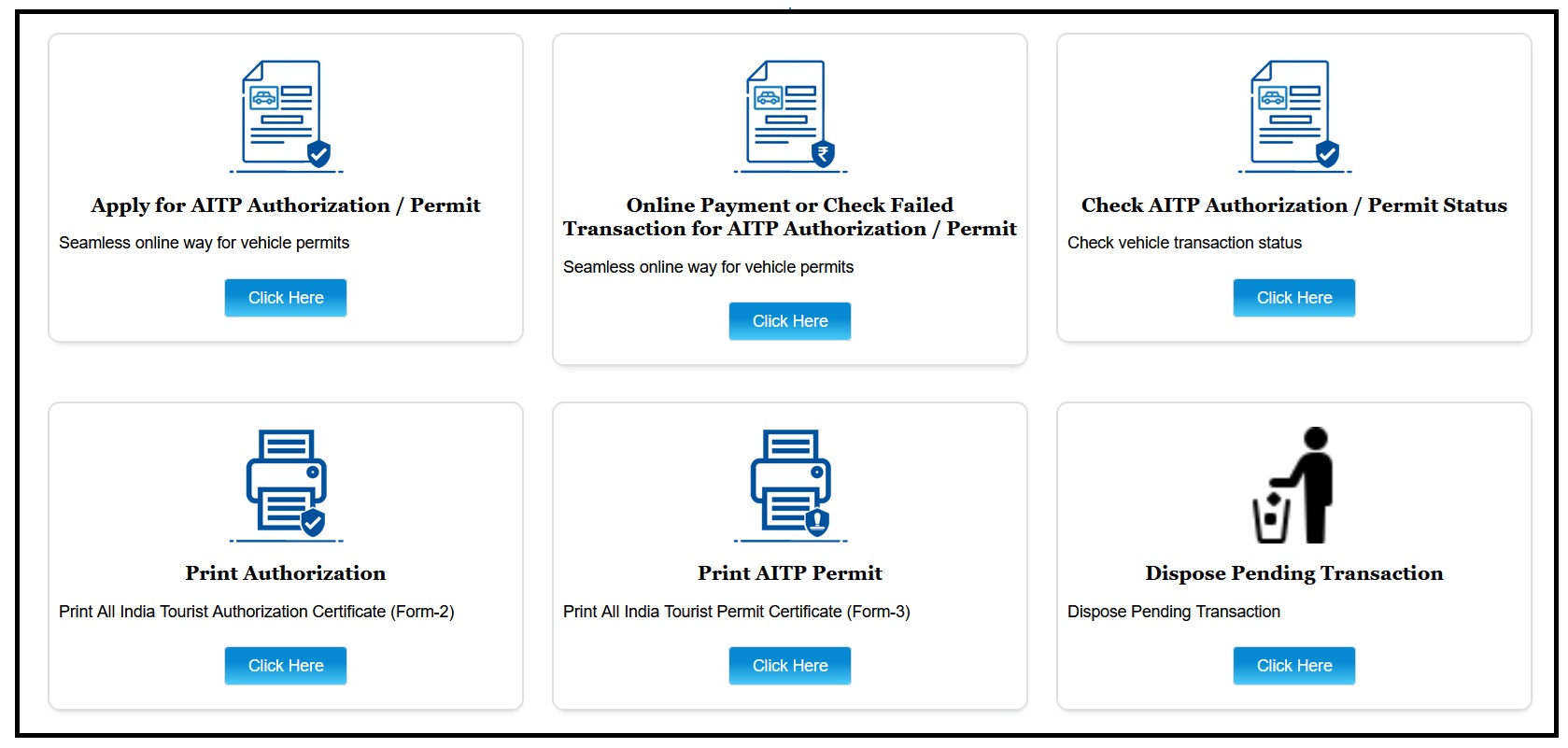
Apply For AITP Authorization/Permit
** User may click on URL:https://vahan.parivahan.gov.in/aitp/ Or go to Parivahan.gov.in>>>Online Services>>>AITPAuthorization
** User may click on “Click here” button in box–Apply for AITP Authorization/permit.
** User may select the state from drop down list and
** User may enter the Vehicle registration number and last 5 digits of Chassis number.
** User may Click on “Get Details“ button.
** User may cross check and verify the Owner and vehicle details
** System will check validity of– Insurance, Fitness, MV Tax and base permit,user should ensure the validity of these while applying.
** User may select AITP Permit (Optional) with AITP authorization (compulsory)
** User may select AITP Fees type (quarterly and yearly), after selection respective amount will be auto calculated and displayed on portal to user.
Online Payment For AITP Authorization/Permit
** User may click on “Click here” button inbox Online payment for AITPAuthorization/ permit
** User may payment Mode–Online payment–Netbanking
** User May select bank– Bharatkosh
** User may enter verification code and Click on “payment process” button.
** User may enter Captcha and Click on “confirm”button.
** User will be directed to payment gateway
** User may select the bank for making payment. User may enter Captcha and Click on pay button
** User may Acknowledge and confirm as per Disclaimer and click on “Pay” button.
** In case of payment failed and pending
** If the transaction has been done within 30 minutes,then the message will be given as above. And after 30 minutes it will allow to do double verification.
Status For AITP Authorization/Permit
** User may click on “Click here” button inbox–Status for AITP Authorization/permit
** User may check the status of transaction–success/failed/pending over here
** User may select the Vehicle number or transaction number to check status
** User can check the status and initiate the new transaction in case of failed.