highcourtchd.gov.in Visitors ePass Online : High Court of Punjab and Haryana
Organisation : High Court of Punjab and Haryana
Facility Name : Visitors ePass Online Portal
Applicable States/UTs : All India
Website : https://highcourtchd.gov.in/e-pass/
| Want to ask a question / comment on this post? Go to bottom of this page. |
|---|
What is High Court Punjab ePass Portal?
ePass is an initiative introduced by the Punjab and Haryana High Court toprovide a seamless and straightforward process for obtaining, paperless ePasses required to visit the Punjab and Haryana High Court for official or case-related purposes. The platform offers advanced features aimed at eliminating the cumbersome and tedious procedures involved in making visit requests.
How To Get High Court Punjab Visitors ePass Online?
A Visitor/Litigant can submit an online request for ePass for the applicable permit based on their category and/or role. An ePass shall be issued to the visitor/litigant subsequent to the approval of their request by the concerned authority. On approval, an ePass will be downloaded from the ePass portal.
1. All Visitors must complete one-time registration process on the ePass portal to submit online ePass requests and receive ePasses from the approving authority.
2. During registration,visitors are required to provide their personal details,such as-name, mother/father/husband name, address, email- ID, ID type and number, ID document, and photo.
3. On successful registration, a visitor will not be able to update their profiles.
4. Successfully registered visitor is referred to as “Visitor with verified profile.”
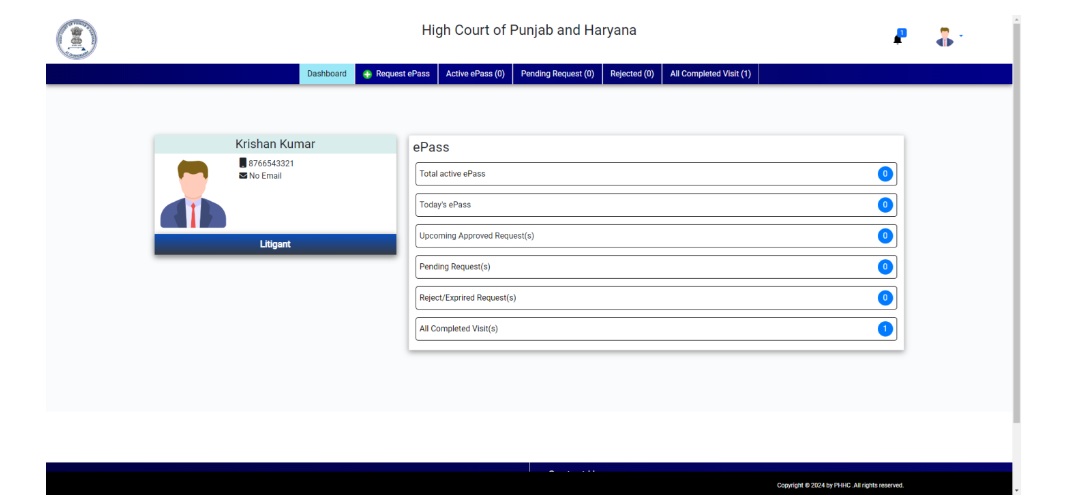
5. After registration,a visitor will have a personalized dashboard, where one can access all relevant information and perform e Pass-related activities.
6. While approving the request for issuance of an ePass of the visitor, the approving authority can view the visitor’s personal details,excluding ID details and address.
7. Once the concerned approving authority takes action on visitor’s ePass request, visitor will be notified on the portal.
8. A visitor can download the ePass through the ePass portal.
9. The complete details of the visitor,including their ID document,can be viewed by the following authorities:
a) Reception Officer for creating passes at the reception,handling queries, and generating reports.
b) Group/Institute Head authorized by an officer of theRegistry,to create online group ePass of the group members.
c) Monitoring Authority
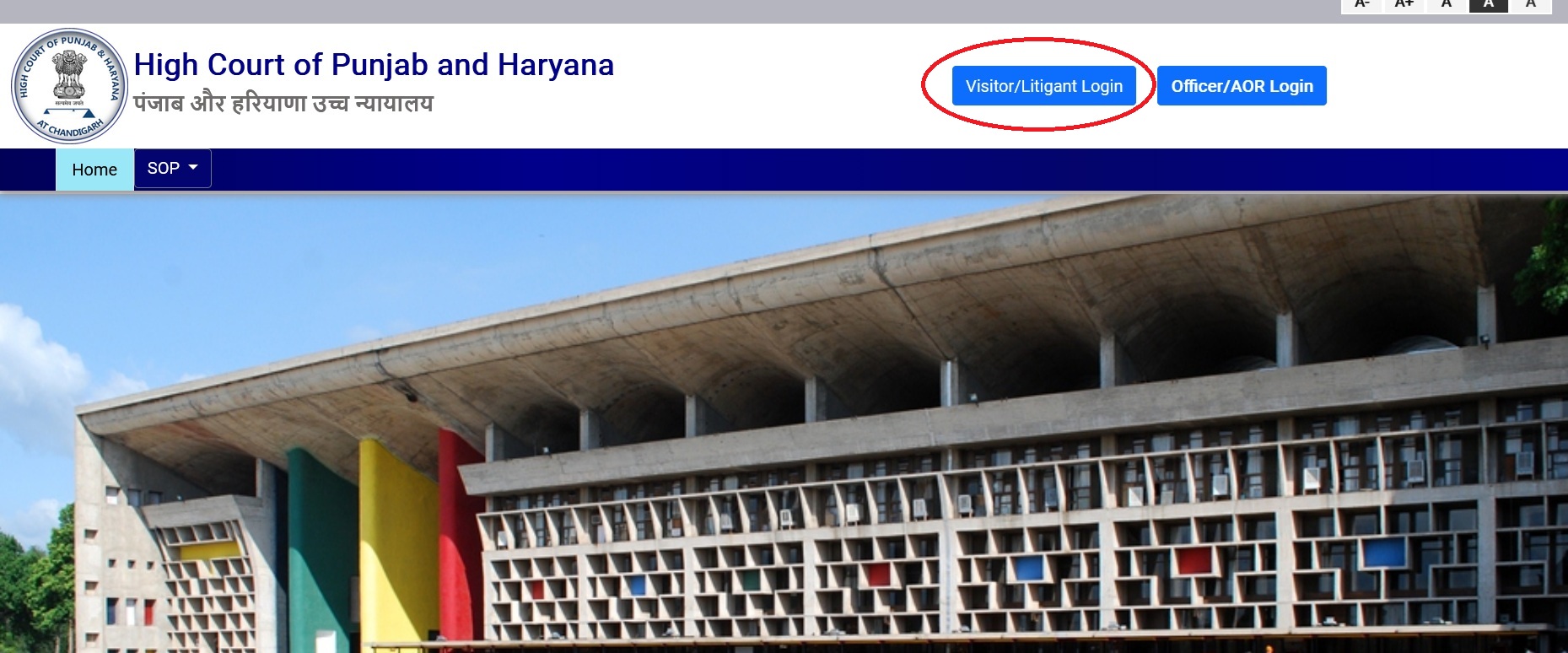
Visitor/Institution Login
a) Only a registered visitor can login from the registered mobile number either through one time password (OTP) or password set at the time of registration
b) An unregistered visitor may register by clicking on the registration link
Visitor Registration
a) The registration process by a visitor/litigant can be initiate by clicking on the registration link. A visitor/litigant must fill in the required details, and the mobile number shall be validated through OTP(One-TimePassword). Please note that the details marked in red color asterisk (*) are mandatory.
b) On completion of initial registration, a visitor/litigant is required to update the profile details in the next step. This step is crucial to ensure that the ePass generation process is efficient and error-free.
c) VisitorProfilePage: TheVisitor’profile page is divided into two sections:
a) Category/Role& IDDetails :
** Select Category / Role on the basis of which you will submit request for issuance of an online ePass.
** A visitor can update one’s Category/Role as per the requirement and can apply for issuance of ePass, subject to approval by the concerned approving authority.
b) Upload or Capture Image
** User can upload or capture their image in this section.
** After successfully registered in the epass portal, user will redirect to their dashboard.
Visitor Dashboard
After successful registration and login, a visitor will have access to the personalized dashboard on the ePass portal.This dashboard will serve as a central hub where visitors can perform all ePass-related activities conveniently. Some of the activities a visitor can perform from the personalized dashboard include:
** Submitting request for issuance of ePass to the concerned approving authority for their intended visits to the Punjab and Haryana High Court
** Viewing the status of their submitted ePass requests.
** Downloading approved ePasses for their scheduled visits.
** Viewing the history of their previous ePass requests and approvals.
ePass Request By Visitor/Litigant
a) ePass request can be submitted to concerned approving authority based on their Category/Role, which is saved in their profile page.
b) Once a request is submitted by a visitor or litigant, the authorizing officers (such as AOR or Registry Officer) will receive notification in their login portal.
c) On processing of the visitor/litigant’ request by the approving authority, the\ visitor/litigant will receive a notification in their login portal and same can be downloaded from the portal.
my name Anuj patel my college name A.S college khanna samrala road my class a B.A first year l want re check my english pepar roll 250XXXXX